Where does your brand appear?
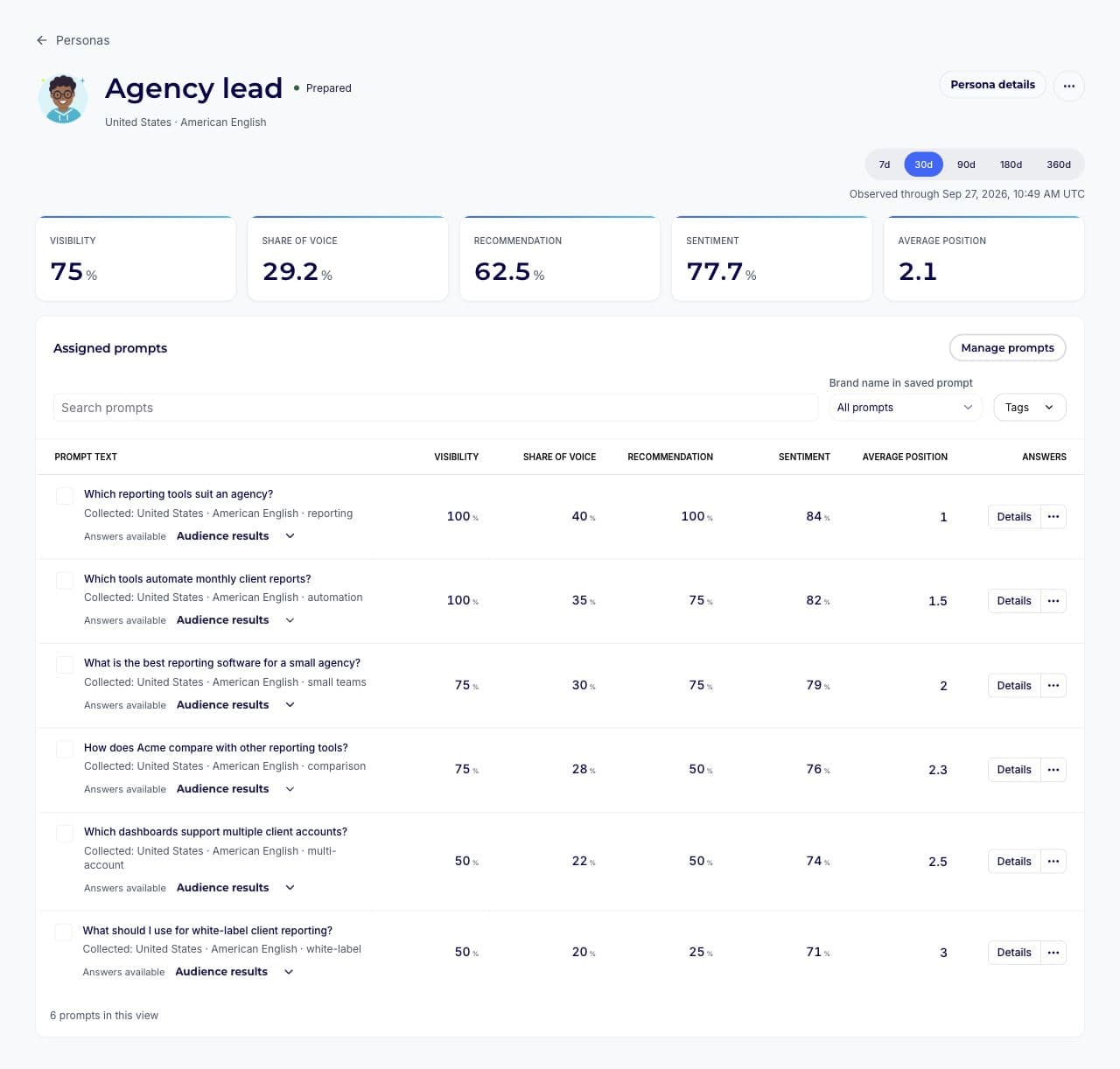
See whether your brand is mentioned or recommended for each Persona, and where it appears in the answer. Compare with General Market where matched results are available.
Last updated:

Compare how ChatGPT mentions, describes, and recommends your brand across Personas with different backgrounds, needs, and priorities. Run your saved questions and compare each perspective with General Market.
Why use Personas?
A founder choosing HR software for ten people might have spent weeks asking ChatGPT about hiring, budgets, and payroll. A CEO replacing an existing system may have discussed integrations, reporting, and the difficulty of switching.
Both could ask, “Which HR software should I consider?” Their earlier conversations can influence what ChatGPT recommends.
Personas lets you review your AI visibility from each of those perspectives. Compare the results alongside General Market to understand where your brand appears, how it is described, and whether it is recommended.
What you can learn
Look beyond one overall result. See what each perspective reveals about your brand’s visibility, positioning, and competition.
See whether your brand is mentioned or recommended for each Persona, and where it appears in the answer. Compare with General Market where matched results are available.
See which competitors appear for different profiles and how your share of voice compares. Find differences that may be less apparent in General Market tracking.
Review sentiment, the qualities associated with your brand, and the reasons given for a recommendation. Open the answer and its captured sources to investigate further.
Review the original answers behind your visibility, recommendation, sentiment, share of voice, and position metrics. Comparisons show when matched evidence is partial or unavailable.
Getting started
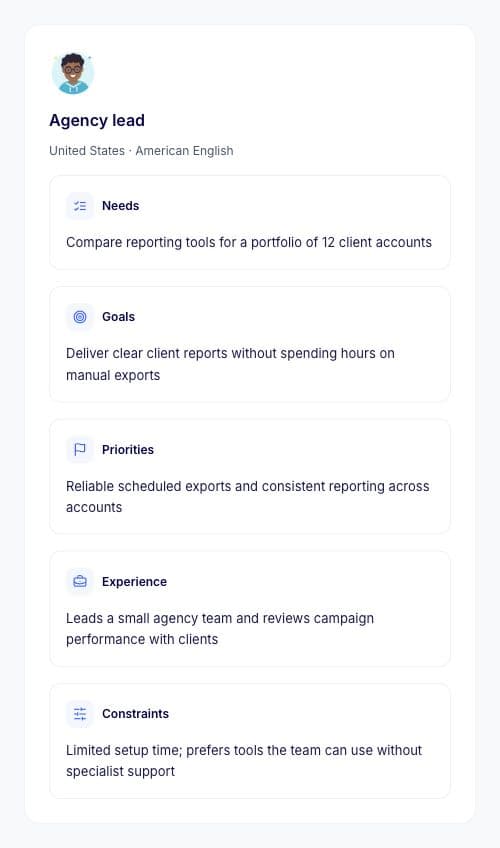
Review suggested Personas and choose the profiles relevant to your audience. Check their roles, experience, needs, priorities, country, and language before you continue.
Assign compatible saved prompts or add new questions. Review your selections and usage before activation. friction AI prepares each account’s history before collecting answers.
Open a Persona’s results, inspect the answers and sources, and compare profiles or General Market when compatible measurements are ready.
How the comparison works
Each Persona uses a separate account prepared around a defined profile. Your tracked question runs in that account without adding a role or a user description to the question itself.
General Market gives you a separate reference. To compare results, friction AI checks for compatible measurements of the same question and version, platform, market, language, and reporting period.
A Persona is a modeled user profile. It helps you investigate how your brand appears in AI answers under that account context.
It does not access your customers’ accounts or reproduce every answer a real customer might see. Differences are evidence to investigate, rather than proof that account history caused every change.
The visuals show sample data. Your workspace shows the answers collected for your own profiles and prompts.
FAQ
A description inside a prompt gives ChatGPT explicit instructions for that answer. Personas prepares the account’s history first, then runs your tracked question without adding that description. This lets you investigate a different condition: an account that already has a defined background.
A Persona is a modeled profile, not a sample of real customers. Its results show what was collected under that account context. They help you explore relevant user perspectives, but they do not establish what every customer in an audience sees.
Yes. Assign compatible saved prompts to your Personas, or add new questions during setup. The country and language of a prompt need to be compatible with the Persona. You can review assignments before activation.
General Market remains a separate reference. You can compare it with a Persona when the same question has compatible measurements. Results stay distinct, and the comparison tells you when evidence is incomplete or not yet available.
Personas is available on Growth and Professional for ChatGPT. Agency access follows each Brand’s package. The available countries, languages, and allowances are shown in your setup. Other friction AI features have their own platform coverage.
Each Persona’s account needs preparation and readiness checks before tracked answers can be collected. You can follow setup progress in the app. Comparison results become available when enough compatible measurements have been collected.
Choose your Personas, assign the questions that matter to your business, and compare how ChatGPT presents your brand.